AI padel video analysis: how Padelapu analyses your match
Updated 8 November 2026
Padelapu analyses a padel match from one fixed-camera video. It finds every hit, each rally and where the four players stood, then turns that into heatmaps, a tactical view from above and coaching tips from your own matches. The AI analysis is Padelapu Pro, free during the beta. The video player, clips, history and tagging are free for everyone.
How it works in three steps
- Play and add the result. Enter the four players, the teams and the set scores.
- Upload the video. Film from above and behind the court with a fixed camera, both back walls in view for the whole match, at 30 frames per second or more.
- Rewatch and learn. With Pro, Padelapu analyses the whole match. A free account has the video player, comments, clips and tagging.
What does the AI analysis show?
| Output | What you get |
|---|---|
| Shots | Every hit and its hit type, counted per player |
| Rallies | Each rally found for you, so you skip the breaks and jump point to point; rally length in hits |
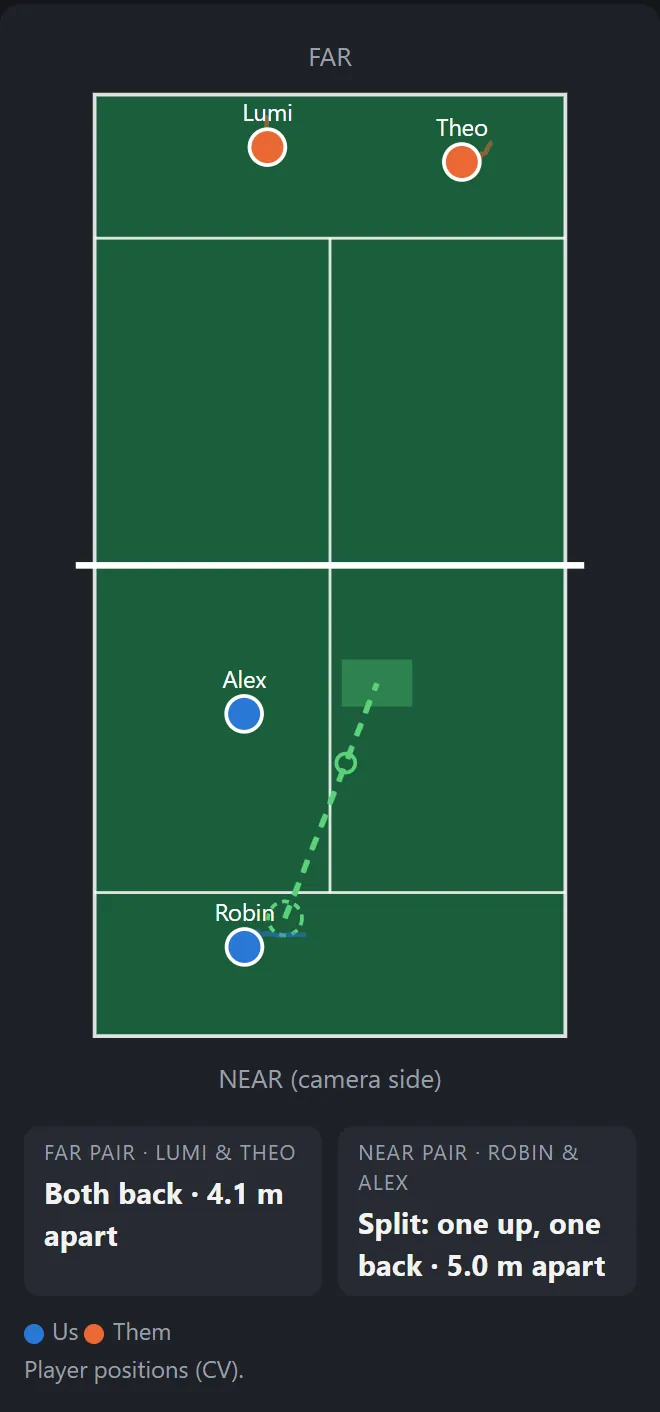
| Positions | Front or back for every player through the match, and heatmaps |
| Tactical view | Any rally replayed from above, synced with the video: where the four players stood, the ball's path and how far apart each pair was |
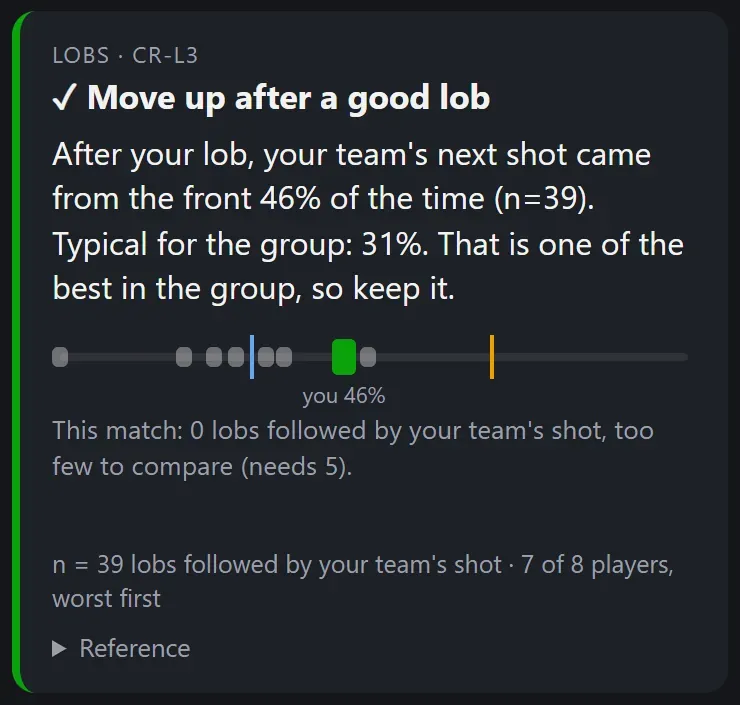
| Coaching tips | Habits from your own matches compared with your group's, with the video moments that show them |
| Highlights | Your best-ranked hits and longest rallies cut into clips and photos |
Points, winners and errors still come from your own tagging; the analysis suggests the rest.
Is it accurate?
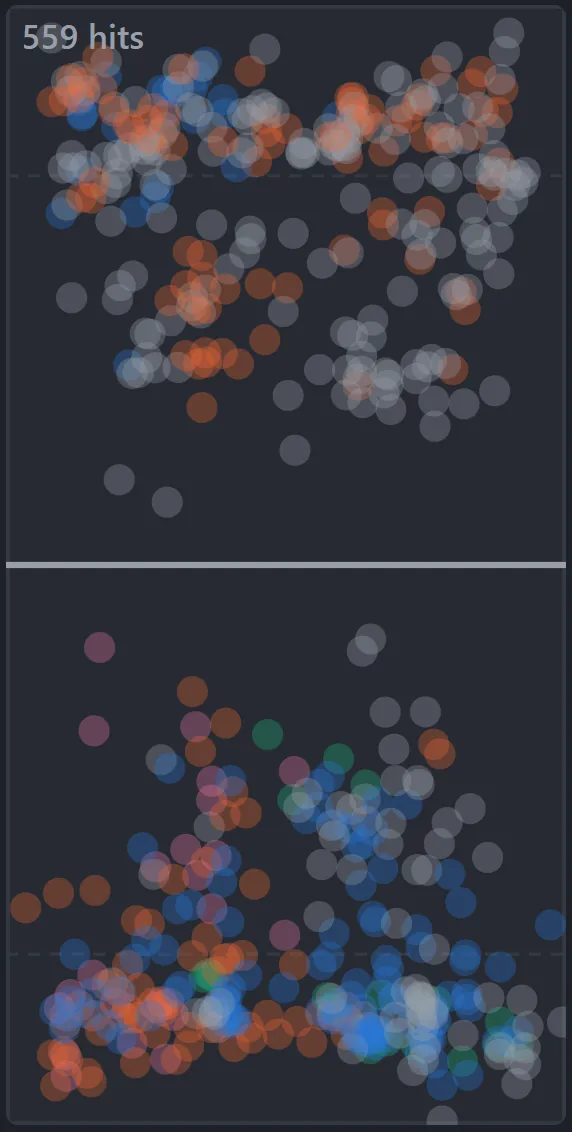
Every automatic number comes from the video, and anything you tag yourself is shown as tagged. The heatmap below comes from tagging, not from the automatic analysis: 559 hits, manually verified.
Can a coach use it?
Yes. Send your coach a link; they need no account. In Coach Mode the coach pauses, draws on the court, writes notes at a moment and answers your questions about a rally. The position and tactical views show how the pair moves as a team.
How do I film a match for the analysis?
- A fixed camera, above and behind the court, ideally clamped to the mesh about 4 metres up
- The whole court in view, both back walls included, for the whole match
- At least 30 frames per second; MP4 or MOV, up to 10 GB and 3 hours per file
The guide How to film a padel match goes through each step.
What does it cost?
- Free, €0, no card: the padel video player (zoom, slow motion, frame steps, loops), match comments, clips, your history and record against every opponent, and stats, heatmaps, reports and coaching tips from the hits and point endings you tag. A free account keeps 3 match videos at a time, each for 90 days.
- Pro, €0 during the beta: the AI analysis of the whole match, 4 analyses a month. In beta and opening to more players as it grows: create a free account and press Ask for Pro on the Account page.
Questions
How can AI analyse a padel match from video?
Padelapu tracks where the players and the ball are, frame by frame, in a fixed-camera video, then groups them into hits, rallies and positioning patterns.
What camera do I need?
A fixed camera above and behind the court, showing the whole court and both back walls for the whole match. Film at 30 frames per second or more.
Is Padelapu free?
Yes. A free account needs no card and gives the video player, clips, match history, tagging and the stats, heatmaps and coaching tips built from your own tags. Pro, the automatic AI analysis, costs €0 during the beta, with 4 analyses a month, and opens to more players as the beta grows.
Can a beginner use it?
Yes. The coaching tips come from your own matches and compare you with the players you play with, not with professionals.
Is my video public?
No. Padelapu matches are private by default. Only you, the players you add to the match and the people you give a share link can see it.
More answers in the Padelapu FAQ.
Try it on your next match
Create a free account with your email, no card needed. Then press Ask for Pro on the Account page.